
Choose by Brand
Dymo
Dymo Label Printers
Dymo LabelWriter Printers
Labelwriter Labels
RhinoPRO Tape
LetraTAG Tape
D1 Tape
Embossing Tape
Spares & Accessories
Dymo Postal Scales
Dymo Cardscan
Brother P-Touch
P-Touch Label Printers
QL Label Printers
Garden Labelling
TZ Tape
DK Labels
M Tape
HG Tape
Stamp Tape
TC Tape
TX Tape
TD Labels
Spares & Accessories
Brother discontinued label printers
Brady
Brady BBP85
TLS2200
IDXpert
BBP11
BMP21
BBP31
BBP33
BMP51 / BMP53
BMP71 Printers
BMP71 Labels
ELAT Labels
Globalmark
Handimark
Handimark Ribbons
HandiMark Tape
Handimark Spares & Accessories
IP Series
LABxpert
Lockout Tagout
Minimark
Powermark
Brady Software
ToughStripe Floor Marking
Pipe Markers
CLP Pipe Markers
Euro Style Pipe Markers
Snap-On Pipe Markers
Directional Arrow Tape
Linerless Pipe Markers
Marine Pipe Markers
Pipe Banding Tapes
Symbols on Rolls
Write-On Markers
Casio
Casio Label Printers
Casio Label Printer Tape
Casio Ribbon
Casio Spare Parts
Kroy
Kroy Label Printers
180/182 Tape
240 Tape
3100, 4100, 5100 Tape
3100, 4100, 5100 Heatshrink Tube
Kroy Heatshrink Spools
Kroy Self-Lam Cable Markers
White Direct Themal Labels (No Ribbon Needed)
White Themal Transfer Labels (Ribbon Required)
Kroy Thermal Printer Ribbons
Labelstation
Labelstation Label Printers
Continuous Vinyl Rolls
Heat Shrink Tubing
Horticultural Labels
Labels On Rolls
White Paper Direct Themal Labels (No Ribbon Needed)
White Paper Thermal Transfer Labels (Ribbon Required)
Tamper Evident Labels
VOID Security Labels
Gloss White Polyester Labels
Matt Silver Polyester Labels
Jewellery Labels
Gloss White Vinyl Labels
Gloss Yellow Vinyl Labels
Non-Adhesive Tags
PAT Test Labels
LabelStation Print Ribbon
Self-Laminating Markers
Spares & Accessories
PAT Test Labels
RhinoPRO
RhinoPRO Printers
RhinoPRO Labels
Rhino Spares
Seiko
Zebra
Label Printers
Zebra Labels
Zebra Ribbons
Special Offers & Deals
Brother Cashback
Product Of The Week
Brady Bundles
Free iPod Nano
Clearance Bargains
Brady 30% off Printers
Electrician
Warehouse
Horticultural
Heath & Safety
Cable & Wire Marking
Laboratory
Labelling Software
Label Printer Software
Other Products
A4 Labels
PAT Test Labels
Thermal Printer Labels
Thermal Printer Ribbons
View By Industry
Electrician
Warehouse
Horticulture
Heath & Safety
Cable & Wire Marking
Laboratory
Information Pages
Worldwide Shipping / Export
Corporate Accounts
Delivery Information
Customers In Ireland
Support
WEEE & Battery Recycling
NHS Purchasing
BROTHER CASHBACK
Quality Assurance
Viewing:
Home
Brother P-Touch
QL Label Printers
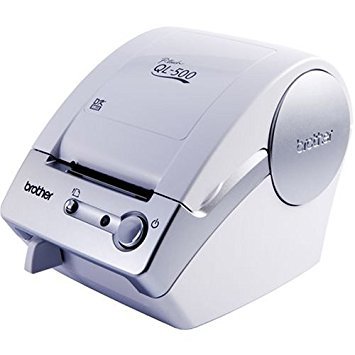
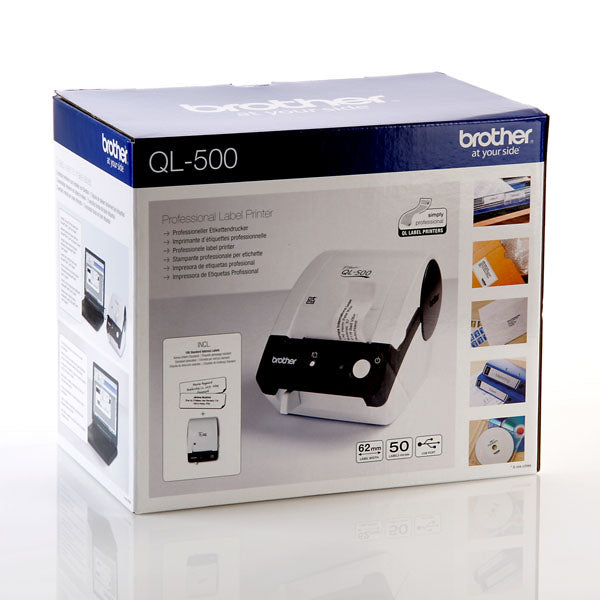
Brother QL-500A Address Label Printer

Brother QL-500A Address Label Printer

Brother QL-500A Address Label Printer
Brother QL-500A Quick Label Printer
Brother QL-500A Address Label Printer
£29.99 ex vat£35.99 inc vat
  • Delivery: Free (UK Standard)
  • Warranty: 3 Years
  • Software Included: Yes
  • Win XP, Vista, Win7/8 Compatible: YES
Mac Compatible Mac Compatible
Windows Compatible Windows Compatible

Overview
Downloads
Questions (33)
Video (1)
Reviews (125)
  • 1 x Brother QL-500 Label Printer
  • P-Touch Editor Software
  • 1 x Starter Address Roll (100 labels)
  • 1 x USB Cable
  • 1 x Power cord
  • 1 x user guide & manual
  • Cleaning sheet


  • Mac and Windows XP/ Vista/ 7compatible (Win8 requires free download)
  • Manual Label Cutter
  • Print up to 50 standard address labels per minute
  • Label templates for quick label creation
  • Easy to load
  • Easy to peel labels
  • USB Connectivity
  • Prints labels up to 62mm wide

The Brother QL-500A Label Printer has taken label printing to new levels. Whether you need one label or many labels, it’s the fastest, easiest and most versatile way to print labels directly from your PC.

5 Average Rating 5/5 (125 reviews)
5 stars Great product & service Written by David Arnold

Excellent website. Very easy to order. Very fast delivery (48 hours from start to finish) and email to keep me updated on my order process. Well done Labelzone!

16th May, 2013
5 stars Great product-Excellent Value Written by Amy

Makes printing labels a lot easier -make labels a suitable size for the package. Excellent value for money and excellent service from LabelZone!

1st May, 2013
5 stars Impressed Written by Ryan

Very easy to use, simple and fast. Would recommend. Delivery very fast too.

2nd Apr, 2013
5 stars Brother QL 500 series Written by Keith Rose

Great product. The 'P Touch' software is a breeze to install and to understand immediately (all software should be this easy). The printer is perfect for individual labels, bar codes or any design you can think of. A brilliant, 'value-for-money' tool.

29th Mar, 2013
5 stars Fantastic Printer, Fantastic Price Written by Brian Y

Great service from Labelzone, Printer so easy to use and so fast, set up was very simple. If you have a need for one label or multiples of the same one it is all so straightforward and simple to follow, easy to store label setup for future use, just as everyone else has said. Great Stuff.....!!

27th Mar, 2013
5 stars Excellent service! Ordering QL-500 Written by Sharon Thomas

On Monday morning our last QL-500 after 10 years of heavy daily used died! We put in our order for the new QL-500 on Monday lunchtime by 10am next day it was with us on normal delivery rates, resulting in little disturbance with the office. Couldn't have asked for better dervice. Thank you!

25th Mar, 2013
5 stars Brother QL-500A Address Label Printer-Brilliant Written by Arkadiusz Krol

An absolutely brilliant product, saves a huge amount of time. Just regretting the fact that I didn't buy this before. You wont be dissappointed.

1st Mar, 2013
5 stars Just Great Written by John Young

I got this printer about a year ago and use in to print my Honey labels. OK they are black and white, but they do exactly what it says on the tin. I can't fault this printer in anyway.

25th Feb, 2013
5 stars Brilliant Written by Lewis Broadbent

Brilliant little machine very fast for us we use it to print from fragile stickers to postal addresses even out own logo so easy to use you can copy and paste and it will print :)

30th Jan, 2013
5 stars Reliable product, great service Written by Peter

I purchased the printer 3 months ago, easy to use, very reliable and economical. I'd looked at these in the Bristol and Swindon branches of Staples but the staff really could not be bothered, that's if you could even find them. Rang Labelzone and got all the help I needed and next day delivery. What a difference. Superb!

14th Jan, 2013
5 stars Perfect Written by Andrew reed
It does just what is needed of it ! Got it for my father for Xmas ! He is thrilled, it's easy to use, simple to understand ! Perfect for my dad !! Highly recommend
2nd Jan, 2013
4 stars A good bit of kit Written by Jeff

I bought this printer to quickly - and simply - print out address labels for our regular catalogue drops, where we send out to between 100 and 400 addresses at a time. What I particularly like is the quick & simple point and click way I can set it up to take the addresses from an excel spreadsheet and automatically print the labels- no more faffing around with mail merge in Word and making sure the label sizes are just so, etc. I'm sure I'll find lots of other uses for the printer, some serious & some frivolous! It really is very simple to use and the print quality is high. One 'gotcha' to watch out for - when I installed the printer and software it did set itself as my default printer and this caused a bit of head scratching when I came to print out my next invoice, as it wouldn't print! Not hard to rectify, but worth being aware of. Overall, a good piece of kit at a good price.

23rd Dec, 2012
5 stars Brilliant Written by Adam Newton

I sell a lot off stuff on eBay and this has just made making my delivery labels so much easier! Very happy with my purchase!

23rd Dec, 2012
5 stars Rate and Review Written by Vanessa Steer

This is the 4th time I've bought this printer, once fr business, once for personal use and twice a a present. It's a great printer and the service from Labelzone is first class, hassle free and excellent! Thanks

20th Dec, 2012
5 stars Brother QL 500A Label Printer Written by Keith Charlton

This is the fourth printer of this type I have acquired over the past two years or so. I have two and my sons have the other two. They are the best value Label Printers on the market - very simple to use with an excellent software package - would certainly recommend to anyone . Backed up with the superb service from Labelzone - a brilliant company to deal with - well recommended Keith C Sunderland

25th Nov, 2012
5 stars Simple & compact Written by Helen Barwick

Recentley purchased 3 , found easy to install and more pleasing the labels fitted into the machine without having a fight with the spool on machine. The choice of the sizes of labels is also of benefit.

15th Nov, 2012
5 stars Satisfied Customer Written by Ian While

The machine was delivered as promissed and was easy to install. I am a happy chappie sticking labels on everything and everyone in stight, Thank you Labelzone and Brother

14th Nov, 2012
4 stars Tepid puzzler Written by Madge Brawn

I had to download the disc three times before it would work properly, took me ages and did not work the forst time I SWITCHED IT OFF AND THEN WENT BACK TO IT, SO i HAD TO DOWNLOAD IT AGAIN. nOW IT WORKS ALRIGHT. pAINFULL.. Some instructions aRE VERY VAGUE, NEED SOME WORKING OUT TO GET TI RIGHT.

10th Nov, 2012
5 stars great label printer Written by james forbes

delivery of this item was next day despite ordering a few minutes over the deadline of 4pm. a great product easy to install and start using. tremendous speed of printing, churns out labels in seconds. a great buy

7th Nov, 2012
5 stars Speedy and personal service, couldnt ask for more Written by Jennifer Turner

Good website and range of products. When the printer was delivered and i was not home i was pleasently surprised that someone called to advise that it had been dispatched.

25th Oct, 2012
5 stars How to make life easy! Written by Kirsty Smith

I have just started a small online business. I was printing my postage labels from my home printer on an A4 sheet which was not only eating the cartridges but also wasting paper. Since purchasing this Brother label printer, life is so much easier. What an absolute joy to use. Popped in the set up disc, connected the USB cable and in 5 minutes had printed my first label. Also amazing service from lablezone.

16th Oct, 2012
5 stars BROTHER QL-500A PRINTER Written by WENDY ROPER

I bought one of these printers 12 months ago and have been delighted with it - it is an excellent address label printer and so easy to use. I have bought this second one for my son for a Christmas present. I am sure he will love it. .

8th Oct, 2012
5 stars It works well and so easy Written by Rob

I am not the brightest at setting IT things up. I got labels out of this wonderful machine in 3 minutes from the box! All set up and I have saved templates for return labels and shipping labels. Wow. This is Good. I did not know which machine to get so called the customer services and got sensible advice right away. Probs on an awesome company.

10th Aug, 2012
5 stars The QL-500A does everything I need, and a lot more Written by Bill Cuthbert
I bought the Brother QL-500A to replace a Seiko label printer that no longer worked. This printer was less than half the price of a Seiko replacement and is so much more flexible in terms of the variety of label sizes it can print, and it was very easy to set up and use.
31st Jul, 2012
5 stars excellent Written by morgan

excellent machine, delivery very fast all very good. will use again without a doubt

24th Jul, 2012
5 stars Easy to set up & use. Great value for money. Written by citrus7 Ltd

This is a lovely, neat, straightforward piece of kit. Really simple to install and easy to use. Takes up hardly any space. Fits our needs precisely. Such good value we ordered a second one!

9th Jul, 2012
5 stars absolutly BRILLIANT!!! Written by Daniel Davies

I am extremely happy with this printer, it has performed brilliantly and I couldnt ask for more! It is fast and reliable bit of kit and is a credit to my company, I received it very fast and it was up and going within minutes I would defenitly recommend to any business!

5th Jul, 2012
5 stars An easier life product Written by Paul Grant
An excellent product that is easy to use and which. Gives great results. As an eBay seller this has made my life so much easier. I know this is a review about the product but a product is no good without a decent supplier. I can honestly say that labelzone were amazing with every aspect of my purchase.
11th Jun, 2012
5 stars Brilliant little printer Written by John

Addressing envelopes has always been something of a pain. You can: (1) Put the envelope through the printer directly, fine if you are using an envelope size that the printer supports, but it doesn't work for Jiffy Bags etc. Even with envelopes they not infrequently jam in the printer. (2) Print on a sheet of labels, wasteful if you only want one or two and also prone to jamming. (3) Hand-write the envelope, not so great for those of us who have spent so much time at the keyboard that we've all but lost the ability to write by hand. At work some of the people who mail regularly (not me) have the Dymo equivalent of this and I've always envied these, but couldn't justify buying one for my personal usage. Then I came across the QL-500 at a great price. This just works brilliantly, My main usage is on a Mac running OS X 10.7 but I also tried installing on a laptop running Windows 7 64-bit Home Premium. Both of these required me to download the drivers and P-Touch editor from Brother's website but this was pretty straightforward. It would be nice if the printer came with these drivers on the CD, but you really can't complain at the price. I did manage to get integration with Microsoft Word 2010 (32-bit) working on the laptop, I believe that this doesn't work with 64-bit versions of Word but it's just as easy to cut and paste into the P-Touch editor anyway, which is what I do on the Mac where there is no such integration (unless you know differently). I do recommend that you buy a roll of the large (38mm x 90mm) mailing labels with this. The software is clever in that it reduces the font size automatically to fit the label, but with anything more than 4 lines on the supplied labels it becomes rather too small for comfort. I make marmalade and I'll use up the small labels for labelling jars, the software even comes with a nice clip art picture of an orange!

6th Jun, 2012
5 stars Brilliant little gadget Written by Jo Lockett

I'm so please I purchased this label printer. Very easy to set up, sits neatly on the desk, and outputs a very professional looking label. No more dodgy hand written labels for my business!

6th Jun, 2012
5 stars Outstanding!! Why did we wait so long?? Written by sachets r us

We'd been looking for something to speed up the labelling process for some time. We Googled 'What's the best address labeller?' and the QL-500A popped up (via labelzone.co.uk).

We read the reviews, we looked at the questions, then we decided to go for it and make our own minds up.

This has exceeded all our expectations, easy software, easy to use and has vastly sped up the labelling process as we wanted. If you're thinking about buying this, stop thinking and buy it! You'll wonder why you waited so long!!

1st Jun, 2012
5 stars Fantastic service Written by Kklone Computers

Label zone are a company that clearly have the same standards of customer service we are striving to achieve, absolutely fantastic, ordered at the end of the day and it was dispatched the same day, within 10 minutes, and arrived when they said it would. If only all online transactions could be this good. As for the printer, what more could you want, it prints labels and thats what we needed, so very good. An added bonus is the high quality usb cable included in the box, being a computer company we have a few thousand at our disposal, but it's nice that one is included, we have purchased printers for many hundreds of pounds that do not even come with one!.

29th May, 2012
5 stars excellent Written by Margaret
Excellent !!!
8th May, 2012
5 stars QL 500A label printer why did I wait so long! Written by Jo M

Excellent value for money, easy to use and set up not to mentioned that it arrived economically packaged and quickly. Produces fantastic labels professional looking labels for a really good price. 100 times better than trying to line up A4 label sheets!

3rd May, 2012
5 stars QL-500A label printer. Written by Bill Blower

Ideal for me working from home. Easy to set up and use. No more taking the paper out of my printer to print on envelopes.

27th Apr, 2012
5 stars Brother QL 500A Written by Mr L. Connell
What can i add that hasn't been said. all i can add the reviews dont lie, well worth the money. you cant go wrong with this label printer
24th Apr, 2012
5 stars Great Written by Luke lamplough

I first bought this in 2011 and exceeded my expectations. The picture makes this machine cheep and nasty but actually this is a stylish. I was so impressed with the machine that I bought a second. I selected the last delivery option but arrive the next day, result. Overall I would recommend this machine to any one.

18th Apr, 2012
5 stars Great price, easy to install and use! Written by Martine Fearn
Great price, easy to install and use! I was amazed not being a wizz on computers that I was able to install the software myself! Easy to use, compact and at a great price.
18th Apr, 2012
5 stars How Impressed I Am Written by Michael Carne
I am extremely impressed with the versatility and effectiveness of this wonderful piece of kit. It took less than 10 minutes to install and then i began printing straight away. A great bonus of no ink and thermal labels meaning you do not have to regularly install new cartridges. Very good at working with excel databases and personalizing you labels. This is a must have for anyone requiring a label printer, i simply cannot fault this product.
10th Apr, 2012
5 stars Brilliant piece of machine. Written by R. McDade
First class livery service, well before estimated delivery date, which was a pleasant surprise. Instructions and everything easy to follow, able to use it immediately. Long time since felt as pleased as I did with this kind of service, Well done.
9th Apr, 2012
5 stars Simples! Written by Ray

Order, plug in and print - it really is that simple! Wish I'd bought one years ago - lost count of how many label paper jams I've had with my normal printer! Great service from Labelzone.

28th Mar, 2012
5 stars Great printer Written by K Devine

This is a great budget label printer. Easy to set up and to operate. Multiple label option. Clear printing.

28th Mar, 2012
5 stars It surpassed my expectations Written by Richard Graham
Positives • The hardware is easy to set-up. • The included label creation software, P-touch Editor, is quite powerful, but easy to use, and includes a large library of attractive artwork. • Both the speed and quality of printing are high. Negatives • The Mac OS X installation procedure is unsound. Attempting to add the printer on Mac OS 10.7 ("Lion") after installing its driver caused Mac OS X to attempt to download the driver from Apple, which failed. I did eventually manage to add the printer, but I couldn't say how! • The included 100 address labels are too small to fit long addresses on with adequate leading. Overall, I'm very pleased with the Brother QL-500A.
26th Mar, 2012
5 stars Good product, perfect labels Written by Suhaib
This label printer i have bought, is excellent and very handy... I highly recommend this product
23rd Mar, 2012
5 stars So far so good! Written by Joyce Steele
We have just received the labeller, but so far we have been very impressed; although one of the free label rolls was not included with the pack as promised.
22nd Mar, 2012
5 stars Great value, compact printer Written by Daniel Bland

Having never bought a printer of this type before I was a little sceptical. However, having received my order very promptly from Label Zone within 24 hrs of ordering I was very impressed with my purchase. Why I have been using the standard A4 sheets of labels for so long I don’t know…… The label printer is compact and sits nicely on a shelf out of the way; USB connection makes connecting up to my laptop very easy. The printer software is very simple to use, although I have not explored much of it, and copy/paste from word into the label template is a doddle. I would add that there appeared to be some random issue with installing the software to being with but having uninstalled it and reinstalled it appears to be working fine. I believe this printer offers great value for money and a worthy addition to any home / small office.

16th Mar, 2012
5 stars How to simplify your life Written by Lizzie Wells

For under £40 this invaluable gadget has transformed the working day. Before QL: a one-off label was such a bother it was easier to write on the envelope. After QL: all it takes is your electronic address book and an index finger on the button

15th Mar, 2012
5 stars Brother QL-500A Address Label Printer Written by eden green
Excellent product
29th Feb, 2012
5 stars Really easy to use Written by trev
Simplicity itself - software and hardware together provide easy- to- use answer to quick labelling. Really impressed.
17th Feb, 2012
5 stars Value for Money and Quality label Printing Written by Sara Quinn
Cannot fault this label printer. Easy and quick to set up and even faster at printing out labels. Has saved much office time and gives our mailings a more professional finish. Recommend Labelzone - very speedy dispatch. Have just gone online to order another whilst at such a good price. A* all round
14th Feb, 2012
5 stars Brill printer / Software not so good Written by S Moyes

A1 to Labelzone recieved in record time and a great price. Set up as instructed, Windows 7 installed drivers automatically. Within 20 mins had printed labels. I did find the software difficult to sus, after trial and error got there. My envelopes now look so professional, thank you. A must for any small business.

8th Feb, 2012
5 stars Excellent Machine Written by P Smith

This is my third Brother label printer - the others didn't break, it's just that they are so useful we put one on each desk. Great product....

8th Feb, 2012
5 stars Printer Written by John
Excellent printer worked strait out of the box. Very easy to use with fast post and very well packed. recommended
3rd Feb, 2012
1 stars Printer Written by Carl Wright
Doesn't work with Word 2010! Labelzone Comment: Please upgrade the software to v.5 this will work with Word 2010. The software can be downloaded free here http://welcome.solutions.brother.com/bsc/public/eu/gb/en/dlf/download_top.html?reg=eu&c=gb&lang=en&prod=lpql550euk
30th Jan, 2012
5 stars What an excellent device Written by Roger Farley
So pleased with my Brother QL-500A label printer.Its simple to use , creates individual labels as & when I want them for packages, & because the printing is created by heat sensitive labels they are permanent & therefore smudge free during the delivery process.
24th Jan, 2012
5 stars Excellent Written by Joan Greene
Firstly I should say that your company is very efficient and prompt. I got the printer exactly when you said I would and I have since ordered a spare label roll with the same prompt service. I bought this printer as I run a business making cakes and wanted something that would look professional for price stickers without costing the earth to produce and I have to say this delivers. It is easy to instal if you follow the instructions correctly! It works so far perfectly every time so I now just have to finish changing all the price labels! Thank you for solving a problem for me!
22nd Jan, 2012
5 stars QL 500A Written by Graeme
Good price, fast and efficient delivery
20th Jan, 2012
5 stars Excellent... Written by H Munshi
An absolutely brilliant product, saves a huge amount of time. Just regretting the fact that I didn't buy this before. You wont be dissappointed.
18th Jan, 2012
5 stars Excellent value, easy to use label printer Written by Edward Scott
I installed the latest software from the Brother the site onto my Mac (it is a few versions on from software on the CD supplied with the printer), installed the supplied roll of address labels, plugged the printer into my Mac (it is standard USB device). I ran up the app, entered an address, pressed the print button and about 1 second later had a perfectly readable address label. Could hardly be easier. The printer looks to be well made and the labels easy to load. Brother also provide a Linux driver for the printer so printing addresses from LibreOffice etc looks possible. Recommended.
11th Jan, 2012
5 stars Speedy printer Written by Robson
This printer was gift to my son who is very pleased with it and surprised at the speed it produces the labels. After a few practice shots he is finding it easy to operate and is impressed with the product.
4th Jan, 2012
5 stars Very good label printer Written by V. Taff
For the price it is good value for the money and it does what it say it will
2nd Jan, 2012
5 stars Address label printer Written by Doris
Easy to set, great piece of kit! Love it
1st Jan, 2012
5 stars QL500 Label Printer Written by Roy SAMUEL
This has changed my life at Christmas - all those Christmas Cards now have properly printed labels, which are saved for easy printing next year - and no waste - only prints the labels you want and you are not left with 5 blank labels on a sheet!
22nd Dec, 2011
5 stars Brother QL-500A Address Label Printer Written by Andrea Piper

Hi, I have brought a new Brother QL-500A Address Label Printer, MOST IMPRESSIVE piece of kit, the easy slot-in label cartridge makes it simple to change labels and the software knows which labels you've inserted, Thermal printing means no ink costs and no smudging, it as simply as ABC. WELL DONE BROTHER..........

21st Dec, 2011
5 stars Great Product Written by Matt
Arrived within 2 days!! easy to install, Works perfectly and is very usefull for any business. Highly Recommended!
20th Dec, 2011
3 stars Very Disappointing Written by Mrs Ed
Can't fault the service provided by Labelzone - superfast delivery. However the product itself does not come with the drivers for Windows 7 which you have to download. But the biggest problem is that for 64 bit non of the application add-in functionality is available - kinda misses the point! Wasted about a day trying to find out why every install failed. My advice if you use old technology it's probably a dream product. If you're more leading edge - give it a miss.
19th Dec, 2011
5 stars An excellent product Written by Reg
Having been in the Personal Computer industry since 1978, I've found most new products these days disappointing and not as good as expected. The QL-500 does all that I expected, which is a pleasant surprise!
18th Dec, 2011
4 stars QL-500A - Not Fully 64-bit Compliant Written by G BENJAMIN

Use as an ad-hoc labeller on a Windows 7 64-bit operating systems. Download divers from the Brother site. 64-bit drivers work only on the first install then kept stating that drivers needed re-installing. This situation kept looping. Solved by installing in XP Mode. I believe you need Professional or Ultimate to get XP Mode plus a CPU which supports Hyper-V. Just do a google on XP mode to get help. The Brother web-site does keep upto date drivers, so I'll be checking to seek if they address the 64-bit driver issue in full. Back to the QL-500A.... Once all the drivers etc have been installed and working the QL-500A performs very well. Easy to set-up and change rollers etc. It does take up desk space and a needs a dedicated mains power supply. I've printed single "quick" and multiple labels. It is quite fast. As stated early I use it in an ad-hoc as needed manner. Therefore it is not physically connected in a 'ready to print' mode. Once you get over the 64-bit driver issue you'll find that its a very good product.

18th Dec, 2011
5 stars Can't believe it!!! Written by jack watson
This was unbelievable!! It came via courier within 3 days! It was plug and play and is very cheap because on no need for ink. The labels are only 3p each and they are perfect for eBay sellers with copy and paste function... this is just perfect for anyone, a use in everyones house... labelzone, you have a new lifelong customer!! A+ for all at labelzone!!!
17th Dec, 2011
5 stars Great Little Label Printer! Written by Gill

This is a great little label printer! So easy to set up and use to print your labels. No more messing about with sheets of address labels now - with the Brother QL-500A they are printed and cut exactly how you want them!

16th Dec, 2011
5 stars Brother QL 500 Written by viv royle
Great product, quick and easy to install, less than 30 minutes to install and print off all Christmas labels for this year..
13th Dec, 2011
5 stars Brother QL-500A Written by Keith Charlton
This is the second one I have purchased this time for my son - he was very impressed with mine - he could not believe the versatility of this printer for such a low price. Service and delivery nothing less than Excellentl. Excellent
11th Dec, 2011
5 stars Very good Written by Sama
I never normally right reviews but I thought this one worth writing QL500 It's excellent Easy to install Easy to use Any one can do it Xxxxxxx
9th Dec, 2011
5 stars perfect Written by mandy marriott

is what i think of this machine, its easy to use doesnt take up much space and prints out address easily , i run a webiste bussiness and used to spend hours writeing out labels , with this machine i can copy and paste the address , edit it and even save it in my address book , the speed it works at has cut my time by by more than half leaveing me time to spend it doing other things to improve my bussiness , i would highly recommend it to anyone where you need address labels for personel use or for bussiness use its perfect for everyone

8th Dec, 2011
5 stars Label printer Written by Mrs Phyllis Stanger
Excellent and fast printer. Great value!
7th Dec, 2011
5 stars Excellent Printer - Highly Recommended! Written by James H
This printer is very simple to use. The software is easy to install you then simply plug it in and print your labels! Excellent value for money and saves writing out all those envelopes! My only advice - I would thoroughly recommend you only use genuine Brother Labels - I had one of these printers before and used 'compatible' labels which became stuck in the machine and ruined the printer.
4th Dec, 2011
5 stars Brother QA-500A Address Labeller Written by Michael Sammut
Excellent reliable and easy to use/setup. Windows 7 driver download was straight foreward if you follow setup software included.
4th Dec, 2011
5 stars Brilliant, inexpensive and easy to use label maker Written by ALAN HALL

Delighted with this very adaptable and economic label maker from Labelzone. Easy to install and operate and produces high quality, professional-looking labels of various dimensions. I was surprised how easy and successful it made the whole process: quite honestly, a bargain purchase from Labelzone.

1st Dec, 2011
5 stars Good machine Written by David Little

Fine piece of kit - 'does what it says on the label' so to speak! Easy to set up and use so far.

28th Nov, 2011
4 stars QL-500A Written by Susan B

I was a bit fazed at first as it didn't seem to be compatible with Windows 7 but once I had installed it, it seemed to find its own drivers (thankfully) and is now working well. Very quick delivery and I'm very pleased to have it just before Christmas to do all my Christmas card labels (inlcluding a clip art santa!).

23rd Nov, 2011
5 stars Brother ql500 Written by Smitchi
Does the job what it says it does. Easy to setup and easy programe to drag and drop your info on to the labels. Instant print and good value.
18th Nov, 2011
5 stars Plug and print! Written by Vernon Turner
Superb little label printer. Install the comprehensive Brother software, plug into your computer's USB port and print labels! The editor program gives a multitude of options from basic address labels to your own custom design. We use it for business address labels and have easily incorporated our logo. We also use for birthday and Christmas card addresses and add nice little clipart from the vast selection available. Easy to use, No ink cartridges to replace. Cassettes of labels load in seconds. Throroughly recommended machine together with a good price and superb service from Labelzone.
17th Nov, 2011
4 stars Works well Written by Michael Murphy

My A3 printer died so I was unable to print A4 envelopes. This label printer solves the problem. I've found it easy to use, and it appears to be reasonably robust.

15th Nov, 2011
5 stars QL-500 Written by David

Excellent little machine that did exactly what I wanted and at a good price. Ordering over the internet from LabelZone was simple and speed of delivery was superb. Installing it was a problem as my PC runs Windows 7 and the instruction manual + installation disk stopped at Vista. Thus it took me some time to carry out the installation. Tip for users of Windows 7: visit the Brother site and download the Driver, P-Touch Editor and the optional Address Book software. Put the QL together and connect the power cable but do not yet connect the Ethernet cable ~ you will be instructed when to do this. In this order install the downloaded software: P-Touch Editor followed by the Driver and then the Address Book.

14th Nov, 2011
5 stars For home use a very good purchase Written by Terrence D Knowles
Once the software was installed ! [that was diffecult, had to download updated software] The QL-500A Address lable printer is simple to use and prints clear and concise lables.
8th Nov, 2011
4 stars GOOD ITEM BUT NOT SET UP FOR WIN7 Written by ANN HUNT

I was very pleased to get this item as I'd heard so much about it. I loaded the disc and followed all instructions but it didn't work because there were no drivers for WIN7. This caused an initial problem, but I did find the drivers to download but after not working decided to uninstal the prog altogther including the earlier version from the disc. After re-downloading the drivers and going through quite a complex set-up it finally worked and is great. I wish this had been mentioned properly on the blurb for it. But now I've got it working, it's a great little machine.

7th Nov, 2011
5 stars Great and easy to use. Written by Jack Alston

This printer is very easy to use rather than printing A4 sheets. Software was outdated for my MAC but easily downloaded from Brother website.

5th Nov, 2011
5 stars Very impressed Written by James

I'm new to label printing so I bought the cheapest printer available to see how it worked. I wasn't expecting much from it but it has been very impressive. It's easy to set up, prints fast enough and the quality is perfect. The software enabled me to link to a spreadsheet so we could print hundreds of address labels in a couple of minutes. I'm still amazed what you get for the money. Unless you need any of the special features on the more expensive models, I'd go for this one.

26th Oct, 2011
5 stars Brother QL500 The best little label printer in the land Written by Sarah Peterson

The Brother QL500 is the handiest little label printer I've used. It is extremely easy to set up, literally plug in and play disk to set it all up. Being able to import all of my contacts details from my emails saves time in having to retype each address. I love the fact that I can have my company logo on each label I send out, and none of my letters/invoices are binned accidently! I rave about this product all the time, its speedy printing, the clarity of the labels, no ink cartridges required, mean that it is a no brainer when it comes to value for money. I have recommended this product to several of my friends and family, who having brought this product and are very pleased with it. I would highly recommend this label printer to everyone.

20th Oct, 2011
5 stars Perfect price, perfect printer Written by Helen Featherstone

Excellent value for a very efficient printer - could be smaller, but in all other ways perfect for the job.

13th Oct, 2011
5 stars Great Value Written by Sarah

This printer has been an invaluable addition to my online business. I use it for all manner of different tasks. A fabulous addition to any home office and at a great value price too.

7th Oct, 2011
5 stars Excellent service Written by H Patel
Recomended
5th Oct, 2011
5 stars Ideal for small paper labels Written by W Robinson & Son Ltd

Small, compact and easy to use.

3rd Oct, 2011
5 stars Quick and easy Written by Gareth Jones

Easy to set up, and very easy to use. It does take a little time to master the p-touch software. But with Smartstamp this is a breeze.

19th Sep, 2011
5 stars absolutely perfect Written by Matthew
///////this printer is absolutely perfect for a small business like mine where you need to print both postage and shipping labels. Great service from labelzone too
18th Sep, 2011
5 stars Surprisingly good product! Written by WENDY ROPER

The QL-500A is extremely easy to set up - I had no bother with it at all and I'm well into my 70's. I have wanted a label maker for a number of years but haven't been able to find the right one for me. But I have now! This is much easier than trying to do labels from the computer software and the machine is very neat - I use it a lot to label envelopes, parcels, jars, discs - in fact absolutely everything. I am highly delighted with the machine.

16th Sep, 2011
5 stars Machine Written by Vanessa graham

Easy to use am trying to figure out if I can use it with my iPad but a clever little machine nonetheless easy to set up on a laptop or desktop and can be used straight away.

Labelzone comment: You may find this article here on our blog of use,  we've not tested this with an iPad, but it might be a solution - Please let us know how you get on !

16th Sep, 2011
4 stars Good Product Written by Mathew Kavalam
Good Printer Have Problem with communication in Windows XP
14th Sep, 2011
5 stars brother ql 500, great little printer Written by i.thomas
just bought our second of these. easy to use, no ink needed and takes a selection of label sizes
12th Sep, 2011
5 stars QL-500 PRINTER Written by P Micklburgh
A lot cheaper then any other retailer even ebay goods came well packed and works perfect saves a lot of time and produces good lables very happy
12th Sep, 2011
4 stars OK but! Written by SM Blatt

The product works as described on the box! but the software as shipped with the box, on the CD, was very disappointing and I spent a long time trying to make it print my design of label with little success. I the downloaded the up-grades which allowed me to do what I wanted…

9th Sep, 2011
5 stars Brother label machine Written by Pamela whelan
This product is really easy to install and fabulous to use, I would recommend this printer as you can use it for single use as well as multiple use
7th Sep, 2011
5 stars Mr Written by David Elvy

I would like to say I am very pleased with the label printer I purchased from you. It does exactly what it says on the net where I purchased it. I recommend it to anyone. Nice to have something you can rely on. Many thanks.

31st Aug, 2011
5 stars First Class Product Written by Martin Dibley

Excellent printer that is so easy to use. It produces quality labels very quickly. Ideal for labelling weigh out products.

25th Aug, 2011
5 stars Great Product Written by K McCAll
Really delighted with this product, it's easy to use and produces crisp professional labels at the touch of a button. It's a neat compact size that takes up hardly any room on my desk & it was a great price too.
21st Aug, 2011
5 stars Brother QL-500A Written by T J McCarthy

Very useful & quick. Software not very intuitive but very good when you get used to it.

19th Aug, 2011
5 stars Brother QL-500 Written by P Bishop

The Brother QL-500 is awesome, nice and compact won`t take much room up on your desk, i almost went for the Dymo but now i`m glad i diden`t, because this printer is fast and simple to use, and get great results everytime, only negative thing i would say is the cost of labels, otherwise brilliant.

18th Aug, 2011
5 stars Great piece of kit Written by Margaret Rafferty

I am a home user about 10 labels per day so I didn't want to buy a very expensive labeller. This may be an inexpensive machine but it makes my envelopes look professional and is easy to use. I would recommend this labeller to anyone. I am very pleased with my purchase.

15th Aug, 2011
4 stars ** BUY NOW ** Amazing product! Written by Lewis

After searching around for a few weeks I decided to buy this printer and take the risk, but there isnt a risk this little beauty is amazing from print quality to paper cost its top dollar only think I dislike is that I can connect the labels to any database only excel ones but soon found a way around this little hitch all in all its a fast printer with no ink and amazing print and image print quality!

15th Aug, 2011
5 stars What a printer, what a deal! Written by Clever Gecko Business Start-up Consultants
As a company we had been debating the need for a label printer for some time. Finally we took the plunge and wow, what a difference this little printer has made. Easy, simple, amazing! We would also like to say well done to labelzone for their customer service. We wish there were more companies like you. Thank you
9th Aug, 2011
5 stars Fantastic Product excellent service Written by Tina

Cant believe how easy this little printer is to use.I am a Stampin Up demonstrator and wanted to design my own labels for my catalogues, did it in a whiz.. Very fast delivery and free p&p what more could you ask for. Thank you for your excellent service.

4th Aug, 2011
5 stars Home User Written by Sallianne Branson
Excellent addition to the home office. Fast and efficient delivery, easy to install. I am very pleased with it.
3rd Aug, 2011
5 stars Top marks Written by Derek Timmins

You will not be disappointed with this little beauty or Labelzone! Very quite and quick, easy software what more could you want? A cheap price? Quick free delivery? You get both! This product is a winner. Thanks Lablezone

30th Jul, 2011
5 stars Excellent value, fast and good software. Written by Bernard Ballard

This machine does everything staed 'on the tin' and I have found it extreemly useful - avoiding use of othe laborious software.

20th Jul, 2011
5 stars A Great printer. Written by Adrian Barker

At this price they're almost disposable but so easy to use and build seems good so it'll probably go a good distance. Plonked one of these on the end of a DLink print server, put the drivers on the Windows print server and now everyone in the office can print address labels etc. Just need to get them to the rest of the firm!

30th Nov, 2010
5 stars A 'Cuprinolic' label printer Written by Russ H

Does exactly what it says on the box, and does it well. The price is keen, and the results very good. Can't really ask much more than that, eh?

6th Nov, 2010
5 stars Excellent printer for Mac OS X Written by M Abrey
This is the best bit of kit I have bought since my mac bookpro! No more trying to get my lazar printer to accept envelopes. Works seamlessly with Mac OS X. Brilliant range of labels and fantastic service from labelzone.
4th Nov, 2010
5 stars FAST AND EFFICIENT Written by ANTONY PEET

I am an Avon sales leader and my wife is also a representative. We have 350 customers between us. We hated the time when we had to hand write all our order forms with our name,address, tel num and delivery date. This printer is the best thing i have bought in a long time.the speed in which the labels are printed is great. Wish i had looked into buying one of these a long time ago. Highly recommended.

3rd Nov, 2010
5 stars The Brother QL-500A Address Label Printer Written by Tony Sells

This now is my favourite label printer, I was not sure when I bought it but very well pleased I do not waste the labels as I did with other method. The software that comes with my Brother Label printer is excellent makes light work and easy to use, lots of different formats. I would not go back to my old software and labels.

3rd Nov, 2010
5 stars Best Value Printer In The World Written by Ella Taylor

This is the best printer in the world to me! it's very cheap to run as it does not need ink! When I saw it says it didn't take ink, i couldn't believe it! This just sold the printer to me! it is very fast at printing the labels too! i used to have a Dymo & this is much better! The labels that it takes are very cheap too, & very easy to find as they are sold everywhere! I also couldn't believe there is no warm up time as other printers have, the second you switch it on it's ready! & it is so so quiet, unlike other rivals, also great size for any desk or office. Wow just true value for money! Thanks Brother

3rd Nov, 2010
5 stars QL-500A ends label misery Written by Peter Catterill

For years my practice has been to print labels using good sheet labels. The problem was that it is not recommended to pass the sheet through the printer more than once.  The QL-500 overcomes this as each label is printed individually. A great advance!

3rd Nov, 2010
5 stars Practice Manager Written by Liz Francis

Excellent product and by far the cheapest I have been able to find. Easy to use website, fast delivery - all good as far as I am concerned.

3rd Nov, 2010
5 stars Really useful tool Written by Mandy

I bought one for myself - I print postage labels from Royal Mail and address labels and labels for home-made jam and file labels and so much more. I bought one for my elderly mother (who struggles to write now) so now she prints address labels for birthday cards and gift lables for presents. My friend saw mine and bought one for his business, my husband bought one for his business too. I know it only prints in black and white - but that is enough for what I need. I have had mine for years and it has never let me down

3rd Nov, 2010
5 stars Best Buy Written by Nelia Andrade

I bought a ql-500 about 1 mouth ago and is the best thing i bought this year. It's small so you can store it anywhere, or if you have a small desk it doesn't take up any space at all. Very easy to use, is very fast and it saves me a lot of hours and hassle, I recommend it to any one that needs address labelling or barcodes etc. What can i say!! It's great !!!

3rd Nov, 2010
5 stars Brother QL 500A Written by Keith Charlton
This is an excellent super value printer having an amazing range of label sizes and a very comprehensive software package for producing very professional labels. Also the delivery and backup service from Labelzone is first class - would recommend them and the printer to anyone
23rd Sep, 2010

Share your thoughts with other customers… write your own review

I have the QL-500 Brother P Touch printer but no software, Please could you supply. Thanks

You can download the software for your Brother printers from www.brother.co.uk

The person I want to buy this for has just brought a new laptop that has windows 8, will this be compatible with it?

Yes you can download the Windows 8 drivers for the QL range of printers from the following link:

http://welcome.solutions.brother.com/bsc/public_s/es/os/windows.html

Can you save addresses in the programme on your computer? I hate writing out all the adresses for xmas cards so i was hoping to to type and save the addresses once and just print a set every xmas/birthday. Thanks

When using P Touch Editor software with the QL range of printers you can save address / label template within the software.  This software is bundled with the printer as standard.

I have a new Brother QL500. I have a USB adapter and want to use it with my iPad - can I download compatible software from brother? Thx

Brother have an iPad/iPhone app which only supports the new QL-710/QL-720 printers, additional models may be supported at a some stage.  You can find the app here: http://itunes.apple.com/us/app/brother-iprint-label/id523047493?mt=8

Hi, i have to write to approx 200 customers every couple of months, would the software keep the names and addresses so i could just print them when required, many thanks Ben

You can produce address labels and store them within the P-touch Editor software that comes with the Brother QL range of printers

I want to purchase this but I do not have microsoft word excel on my PC as it has expired, will i need this? or does it come with its own programme software

All QL printers come with their own label design and print software so you don't need any other software to run the printer. 

i recently brought this product from you ,when i purchase new labels for this do i have to buy a new spool as it came with starter lables or can i buy a refill pack of lables

Each label roll has the plastic holder as part of the replacement roll. The range of DK labels are available here DK LABELS

May you explain what's the difference in between the Brother QL-500 and Brother QL- 500A? Because when I look at the model of QL-500A, the printer is still stating the one of QL -500. Many thanks.

The difference between the QL-500 and QL-500A is the colour.  We only stock the QL-500A which is white.

What size are the labels on the starter pack roll that comes with this printer?

The QL-500a comes with 100 standard address labels (29mm x 90mm)

Could this printer print just a full logo image across the whole label, no text just the image?

Yes the printer prints your design, whether that be text, images barcodes etc.

Is this printer compatible with a usb wireles printer server?

The Brother QL-500A has no wireless capabilities

As royal mail smart stamp not working last 2 months is that printer compatible with royal mail online postage ?

Royal Mail will be able to advise you regarding the correct printer to use with their products. 

Are the labels adhesive?

Yes the DK range of labels are all self-adhesive apart from the DK-N55224 which are a non adhesive card.

My customer addresses are in a MySQL database. If I were to output an HTML page with a single formatted address, would I be able to print from it? Would it just be a case of selecting the printer from my printer list? (I am assuming there is no direct driver for MySQL).

The QL-500 printer driver should allow you to print to most Window applications (ie Word) providing the "page size" matches the label size in the printer.   There is a free SDK available here which may be of use if you wanted to develop your own application.  If you need any further help please feel free to call us on 01202 683212.

Can this print my addresses from my excel data base and would the data base have to be in a certain format ie my address format is currently all on one line in 5 cells can I highlight these or cut and paste to the printer ? Similarly I wish to print 4 digit codes for my products on the 12mm round labels - this is also in excel can I set it to print a run of them by hightlighting the cells ?

Yes, the P-Touch Editor software can import data from excel (providing the data is in the correct format).  You can also cut and paste to the P-touch Editor software too.  You may find the article on our blog about merging excel data into a label useful, you can see this here.

Hello, I have just bought this printer and it seems great. Just a quick question for a beginner: I know it uses direct thermal print technology, but does the printer ever 'run out'? Or will it last forever as long as there is labels in the unit? Thank you

The printer will never need any ink or toner, the DK labels have a coating which eleminates the need for any other consumable.

Hi Can you tell me how many lines on the address labels this can print. As most addresses have 5 lines and I can't see this listed.

The QL-500A will print as many lines as you can fit on the label size, depending on the font size used.  The QL software will auto size the text so for example, if you need 10 lines for an address the software will reduce the font size to fit.

On the 38mm x 90mm address label you can fit 8 lines of text at 10pt or 11 lines at 8pt.   You can add extra lines but the font size will reduce further.

Can I connect the label printer to my laptop or does it have to be a desktop please? thank you

The QL printers can connect to any PC or Laptop (Windows or MAC) providing they have USB ports.

Can you print just one label on its own?

Yes, using the QL software you can print a single label or multiple copies. Also you can save the label to reprint later.

Is it possible to use any labels with this, or do they have to be brother labels? Also can you use this as a receipt printer?

The QL range only use the Brother labels as they are supplied on a special roll holder.  We would not recommend this product as a receipt printer.   If you would like information on a suitable product please call sales on 0800 975 5040.

What is the smallest label that can be used?

The smallest label is the 12mm diameter round label which can be found here.

Are the labels waterproof vinyl, suitable for out door all weather use? Thanks

The labels in the QL printers are paper or we do have a film tape which has some water resistance but we would not recommend this for producing permemant signs or labels.  A more suitable system for printing water proof labels would be our LabelStation range here.  If you would like samples of the labels please contact us on 01202 683212

Can I print barcode labels with the QL 500A printer? What size labels are available?

The QL range of printers are supplied with great labelling design and print software.  The software will allow you to generate barcodes of all common formats.  Simple choose the code type and type in the data - the software does the rest.   The full range of labels for the QL printers can be found here on this link

Can i write over the label with pen?

The QL labels are a plain paper so writing on them with a normal pen shuold be fine.  The range of labels can be found here on this link

I want to know how much is the cartridges and what is the model no of cartridges

Please click this link here to view the full range of labels available.

Do you need ink for this?

The QL-500A does not require any ink.   It uses "direct thermal" print technology.  So when the paper passes over the thermal printhead, the special coating on the label surface turns black  in the areas where it is heated which in turn produces the image.   The QL-500A is a black print only printer, although there are several colours of labels which can be found here on our website here.

Can this printer be used to print paypal Royal Mail labels? Also what are the cheapest compatibile labels you have for it? Regards, Damian

This printer is not conversant with Pay Pal, but is suitable for using with Royal Mail Smart Stamp.  We do not offer 3rd party labels as these will only invalidate the warranty.

Can this unit be used to print on to a set label such as a PAT test label where the date and appliance ID are set on the label ?

The QL-500A is highly versatile and can print a label with the details you require however the label material used by these printers is a short life "direct thermal" label which is not really suitable for PAT labels.  

We would recommend using our LabelStation system as this prints hardwearing, long life PAT labels and you can use our standard pre-printed PAT labels and then over print your own dates etc.   For more information please see www.labelstation.co.uk

Does the label print in 300dpi colour and can I cut and paste jpegs onto it?

The QL printers are all mono, there is no ink used as they use thermal print technology.  Jpegs and other graphic can be imported into your label design.

Can I copy and paste addresses from my ebay sales records?

Yes, it is possible to copy and paste addresses from Ebay into the QL labelling software.  If you are selling and therefore posting a reasonable number of items per day you can also export your sales information into a CSV file and merge this into the QL labelling software to print a complete batch labels.   This tutorial may help explain how this is done: http://blog.labelzone.co.uk/tutorials/merging-database-fields-label-brother-p-touch-editor/

Its also worth noting that Royal Mail Smart Stamp also supports the QL printers and has two of the standard label sizes set up in their software.   This then allows you to use your QL printer to print postage as well as address labels.   For more information on this please see our  videos on the blog here: http://blog.labelzone.co.uk/uncategorised/smartstamp/

Can the QL 500 also print names and addresses on a same-sized roll, sort of like a receipt?

Yes, the QL-500 can print any text, numbers, logos or barcodes onto any of its label rolls. There is a choice of pre cut labels or rolls of continuous labels which allow you to vary the label length to suit your requirement.

Which versions of Windows is the QL-500 compatible with?

It's compatible with Windows 2000, Windows XP Home & Pro, Windows Vista 32 & 64 bit and Windows 7. Driver download link

Is the QL-500 definitely Mac compatible?

Yes, but it is important to ensure you have the corresponding driver installed for your OS. The full list of QL-500 Mac OS X drivers are available from Brother's support site.

Ask a question about this product

Can we tempt you with...
DK-11201 - 29mm x 90mm Standard Address Labels

DK-11201 - 29mm x 90mm Standard Address Labels 5

DK-11201 - 29mm x 90mm Standard Address Labels. 400 Labels per roll ...

Black on White Black on White
  £7.69 ex vat£9.23 inc vat
  • Free Delivery Available
  • Labels per roll: 400
  • Size: 29mm x 90mm
  • Colour: White
  • Adhesive Type: Permanent
DK-11202 - 62mm x 100mm Shipping Labels

DK-11202 - 62mm x 100mm Shipping Labels 5

DK-11202 - 62mm x 100mm Shipping Labels. 300 Labels per roll....

Black on White Black on White
  £13.99 ex vat£16.79 inc vat
  • Free Delivery Available
  • Labels per roll: 300
  • Size: 62mm x 100mm
  • Colour: White
  • Adhesive Type: Permanent
DK-11204 - 17mm x 54mm Multi Purpose Labels

DK-11204 - 17mm x 54mm Multi Purpose Labels 5

DK-11204 - 17mm x 54mm Multi Purpose Labels. 400 Labels per roll....

Black on White Black on White
  £4.79 ex vat£5.75 inc vat
  • Free Delivery Available
  • Labels per roll: 400
  • Size: 17mm x 54mm
  • Colour: White
  • Adhesive Type: Permanent
DK-11208 - 38mm x 90mm Large Address Labels

DK-11208 - 38mm x 90mm Large Address Labels 5

DK-11208 - 38mm x 90mm Large Address Labels. 400 Labels per roll....

Black on White Black on White
  £9.59 ex vat£11.51 inc vat
  • Free Delivery Available
  • Labels per roll: 400
  • Size: 38mm x 90mm
  • Colour: White
  • Adhesive Type: Permanent
DK-22205 - 62mm x 30.48m Continuous Paper Tapes

DK-22205 - 62mm x 30.48m Continuous Paper Tapes 5

DK-22205 - 62mm x 30.48m Continuous Paper Tapes...

Black on White Black on White
  £12.75 ex vat£15.30 inc vat
  • Free Delivery Available
  • Size: 62mm x 30.48 metres
  • Colour: White
  • Adhesive Type: Permanent
QL Blade Cutter (2 per pack)

QL Blade Cutter (2 per pack) 5

2 cutter blade units for use in all QL label printers...

  £8.99 ex vat£10.79 inc vat
QL Printer Head Cleaning Sheets (10 Per Pack)

QL Printer Head Cleaning Sheets (10 Per Pack) 5

Cleaning sheets for QL label printers...

  £8.49 ex vat£10.19 inc vat